Sometimes we need to start a Docker container in an interactive shell for testing purposes. During the session you might write some application code, download some big chunks of files, or configure the environment according to your use case. But starting the container interactively means it gets destroyed once an interrupt is done (0 or -1), and all of that work goes with it.
Starting the container
docker run -it --rm --mount type=bind,source="$(pwd)"/work,target=/work -p 8888:8888 opencvcourses/opencv:440
What each flag does:
-itstarts an interactive shell. This switch is always needed to start the container, otherwise it will start and stop instantly.--rmspecifies to kill the container after it is exited.--mountcreates persistent storage to save all the work.-pexposes a container’s port to the host.
Note: run this command in the parent directory of the work folder.
Saving the state
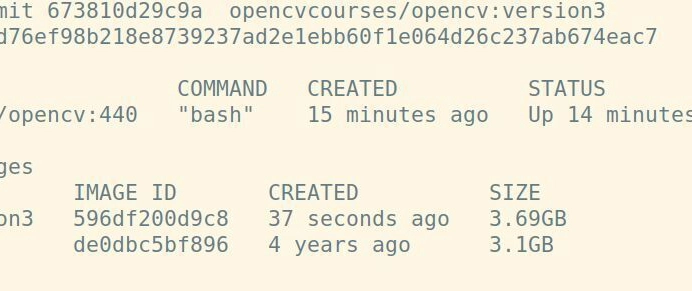
You can save the state by committing the changes to the pulled image:
docker ps
docker commit <container_id> repo/testimage:version3
That’s it. Next time you run the image repo/testimage:version3, everything is exactly where you left it.
Is this good practice?
While this works, this approach is considered poor practice by the Docker community. The best way to go is using a Dockerfile.
And yeah, I think that’s the right way for production, for sure. But many of us are just using Docker locally as a slimmed down version of VirtualBox, and just want the damn state saved, exactly as it is. And we don’t want extra volumes on our local drives either.